AI Cover Song Workflow
I've been exploring Suno for AI music composition and idea generation. Here's a quick workflow I've been iterating on for making a new style cover of an existing song. The final result uses no sampled audio, and is a pure cover that would clear fair-use or at least Harry Fox rights (afaik).
Concept: Let's make a 80's city pop style cover of a contemporary Blues/Rock song. My brother suggested "Bad News" by Aaron Frazer. A song I'd never heard before. Let's go through the steps of how I approach making the remix.
Listen to the song in Apple Music, get the vibe, get the gist, etc.
https://music.apple.com/us/album/bad-news/1525638178?i=1525638426
Extract the Apple Music track to a local mp3 with no DRM so I can spectrally isolate the vocals.
https://aaplmusicdownloader.com/song.php
Use your stem separator of choice on your local GPU to isolate the vocals
I'm using NUO Stems v3, and the mel_bad_roformer algorithm/tensor because the vocal quality is far better than htdemucs or spleeter. Overall it should take 3-10 minutes to split the stems for an average length song, depending on your GPU. Also note if the song is in major or minor key, we'll use that soon.
Now we have this:
Write up the lyrics and put them into song structure notation
Feel free to make little tweaks/changes as you see fit, like the (oohs) and changing some spelling, repetition, etc. It will help make a more unique take on the song:
[Verse 1]
Can you hear me?
I'm crying
Can you feel me?
I'm trying
Trying to tell you
Trying to show you
But you don't listen
So it's bad news
Yeah, it's bad news

[Chorus]
Yeah, it's bad news
Yeah, it's bad news

[Verse 2]
I'm on fire
I'm burning
I can barely
Keep it turning
If I left you
What would you do?
All I know is
They'd be bad news
They'd be bad news

[Chorus]
They'd be bad news
They'd be bad news

[Verse 3]
But you don't listen
So it's bad news
I'm know I'm getting older but the winter seems much colder than before

[Verse 4]
I wish you'd stop and see what you've been doing to me, I can't take much more

[Verse 5]
I'm on fire
I'm burning
I can barely
Keep it turning
If I left you
What would you do?
All I know is
They'd be bad news
They'd be bad news

[Chorus]
They'd be bad news
They'd be bad news

[Verse 6]
Ain't no place for hiding, you can try to but the writings on the wall (ooh)

[Verse 7]
And I'll just keep on giving till I just can't keep on living anymore

[Chorus]
And it's bad news
Yeah, it's bad news
Yeah, it's bad news
I got bad news

[Outro]
Yeah, it's bad news
I got bad news
Yeah, it's bad news
I got bad news
I got bad news
I got bad news
Write up a song writing prompt to use in SUNO v5
First, upload the isolated vocal stem, and use Suno's "cover" create workflow. Paste in those lyrics above into the lyric field. Next, write up the songwriting prompt. Here's what I used:
This is a 1980's Japanese soulful city pop track with a male lead vocalist. The song is in a minor key and has a moderate tempo. The instrumentation includes a retro FM synth playing arpeggiated chords, a funky bass guitar providing a steady rhythm, and retro 80's drum machine with a simple but effective beat. The vocals are smooth and melodic, with some ad-libs and a falsetto range. The production is clean and spacious, allowing each instrument to be heard clearly, The song structure follows a typical verse-chorus format, with a bridge and an outro, The melody is catchy and memorable, with a clear vocal lead.
Additional v5 settings:
Vocal Gender: Male
Weirdness: 19% (this keeps the song more straightforward)
Style Influence: 83% (this is how hard it tries to stick to "city pop")
Audio Influence: 84% (this is how much it tries to follow the pattern, melody, and structure of the referenced acapella)
SUNO gets to work
I like to have it generate 2 options each time. It burns more credits, but one-shots are usually riskier for quality. Out of my 2 options, the second one was perferred but I found a typo in my original lyrics, so I had to go into Song Editor and re-generate one block of vocals. Then I resaved to a new track.
Move it all into your DAW
That's a good starting point, so let's now generate stems to work on in my DAW. Here's what SUNO's stem system output:
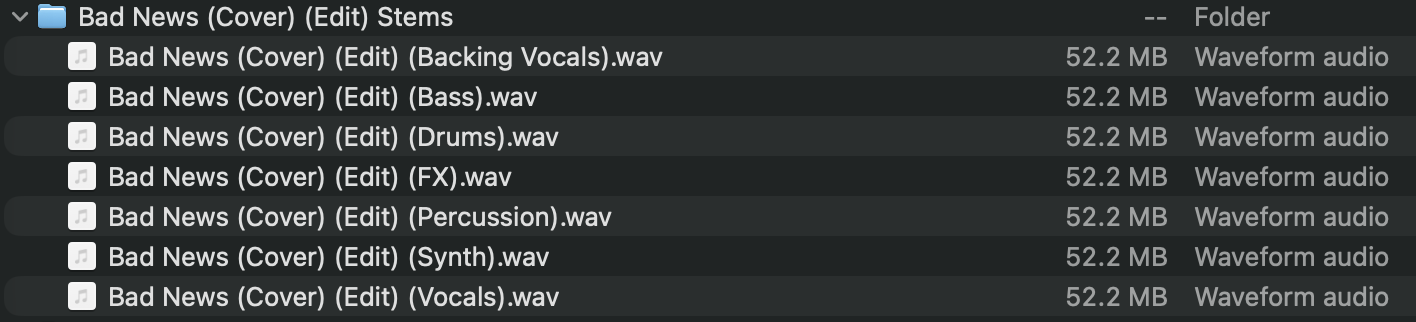
Download those and hop into your DAW of choice, I'm using Bitwig today. Remember to set the tempo and master key (94.09 and E minor in this case):
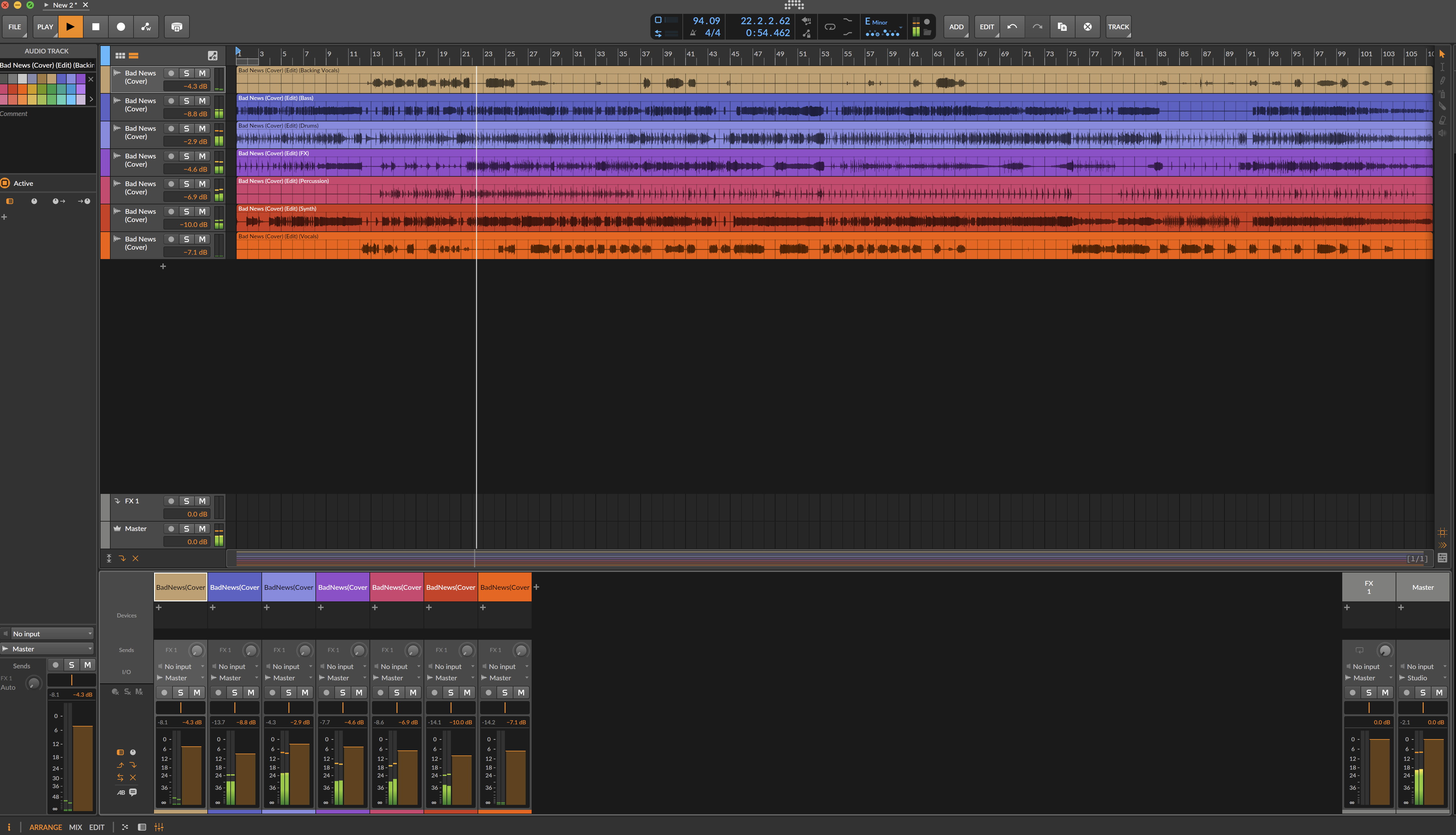
Now get editing, mixing, and finalizing, and you got yourself a nice sounding cover! There was lots more trial and error in this above flow where I generated things, didn't like them, regenerated parts, etc etc. Burning Suno tokens, but getting closer and closer to the prompts and weights that made something I liked.
Here's my final quick output for comparison to the original track:
Aaron Frazer - Bad News (osakaproxy AI cover)
Hope this was insightful!
I'll post some other covers I've done with versions of this method here just for quick reference:
Sade - Paradise (osakaproxy AI cover)